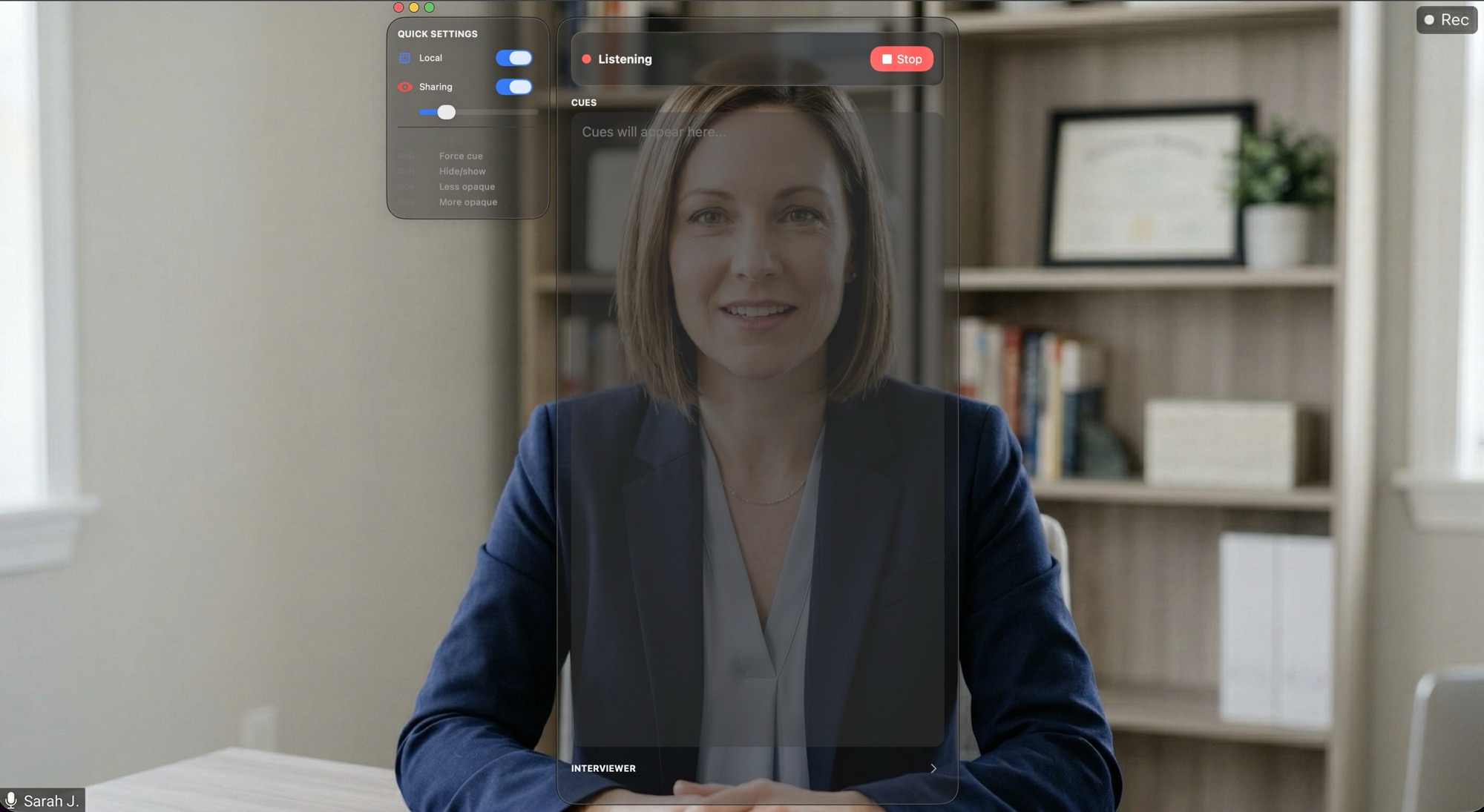
QuickCue overlay providing real-time AI coaching during a video call
Now available for macOS

Real-time AI coaching for your most important calls

Smart suggestions during live calls — hidden from screen sharing. Sales, interviews, consulting, meetings.

macOS 14+ (Sonoma) · Apple Silicon optimized · No credit card required for free trial
Works with the tools you already use

Zoom Google Meet Microsoft Teams Slack Huddles FaceTime

How it works

Three steps. No setup complexity. Just start your call.

Start your call

QuickCue captures audio from any video call app. One click to begin a coaching session.

Get coached in real-time

AI suggestions appear in a floating overlay that only you can see — completely hidden from screen sharing.

Review your performance

After the call, get an automatic AI-powered debrief with highlights, action items, and coaching notes.

Built for every high-stakes conversation

Six specialized coaching modes — each with tailored AI prompts for your specific situation.

Sales

Handle objections, surface case studies, track buying signals, close more deals.

Interviews

Never blank on a tough question. STAR-formatted responses from your actual experience.

Consulting

Structure advice, reference your expertise, track commitments and action items.

Meetings

Track decisions, surface relevant context, capture action items in real time.

Hiring

Evaluate candidate answers, suggest follow-up questions, score against your rubric.

Negotiation

Detect pressure tactics, surface comparisons, structure your counter-proposals.

Also great for language tutoring, coaching sessions, training calls, and any conversation where real-time guidance makes a difference.

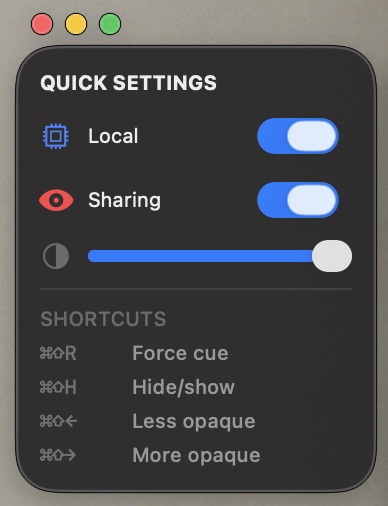
QuickCue Quick Settings panel showing the Sharing toggle

Hidden from screen sharing.
Only you can see it.

QuickCue's coaching overlay is hidden from screen sharing by default — invisible to everyone else on your call. Need to share it with a teammate or coach? Just toggle it on. You're always in control.

Most competitors charge extra for screen-share hiding. We think it's essential, so it's included on every plan.

Everything you need

Works with any call app

Zoom, Google Meet, Microsoft Teams, Slack Huddles, FaceTime — if it makes sound, QuickCue captures it.

Local transcription

Audio is transcribed right on your device. Nothing is sent to the cloud for transcription.

Context-aware coaching

Load your resume, company info, meeting prep, or deal notes. Your files stay on your device — only relevant snippets are used to personalize suggestions.

AI-powered debriefs

After every call, get an automatic analysis with highlights, missed opportunities, and next steps.

Lightweight & fast

A native desktop app that launches instantly, runs quietly in the background, and stays out of your way. No bloat.

Privacy first

Transcripts and context files stay on your device. We never store or log your conversations or personal data.

Your data stays on your device

Transcripts, debriefs, and context files are stored locally — never uploaded to our servers. Audio is transcribed on your device, and we never store or log your conversations.

Unlike other AI coaching tools, QuickCue keeps your conversations on your machine.

Simple pricing

One plan. All features. Buy more time when you need it.

QuickCue

$9.99 /mo

~2 hours of real-time coaching included

  • ✓ All 6 coaching modes
  • ✓ Hidden from screen sharing
  • ✓ AI-powered post-call debriefs
  • ✓ Local transcription option
  • ✓ Context file loading
Get Started Free

Need more time? Credit packs from $5. Auto-recharge available so you're never interrupted.

Enterprise & Teams

Custom pricing, tailored coaching logic, and white-label solutions for your organization. Deploy QuickCue across your team with dedicated support.

Talk to Us

Ready to level up your calls?

Try QuickCue free for 30 minutes. No credit card required.